The right tool for the right work
There is no best AI, just the right tool for each job. How to match tools and models to the work, with everyday examples.

Key takeaways
- Start with the job: how hard the thinking is, what a mistake costs, how often it happens and how sensitive the data is.
- Use plain automation where rules will do, lighter models for volume and stronger models for judgement.
- Most real workflows mix several tools, with a person approving anything that leaves the business.
- Avoid both traps: the most powerful model for everything, and the cheapest model for everything.
When people ask me which AI they should use, they usually expect a single answer. A brand name, a subscription, one tool to rule them all. The honest answer is that there is no best AI, in the same way there is no best vehicle. A van, a bicycle and a train are all excellent, for different journeys.
Picking the right tool for each job is one of the most useful skills a business can build right now. It saves money, it gets better results, and it keeps your data where it should be. Here is how I think about it.
Start with the job, not the tool
Before choosing anything, describe the job in plain words. Four questions help:
-
How hard is the thinking?
Sorting emails into folders is easy. Reviewing a contract for risk is hard.
-
How much does a mistake cost?
A clumsy subject line costs nothing. A wrong figure on an invoice costs money and trust.
-
How often does it happen?
Something done a thousand times a month needs to be fast and cheap. Something done once a quarter can afford to be slow and careful.
-
How sensitive is the data?
Your public blog post and your clients' medical or financial records need very different handling.
The answers point you to the right kind of tool almost every time. The first two questions alone already sort most jobs.
Show the jobs and suggested tools as a table
| Job | Thinking | Cost of a mistake | Suggested tool |
|---|---|---|---|
| Sorting the inbox | Easy | Low | Fast, lighter model |
| Chasing an overdue invoice | Easy | High | Plain automation, with a model for wording |
| Meeting notes | Medium | Medium | Speech to text, then a lighter model |
| Replying to an unhappy client | Hard | High | Stronger model, person approves |
| Reviewing a contract | Hard | High | Large reasoning model as a first reader |
The main kinds of tool
Without getting lost in brand names, which change every few months, the tools fall into a handful of families.
- Large reasoning models
- The most capable general models, good at long documents, careful analysis and tricky judgement calls. They are slower and cost more per use. Use them where the thinking is hard and the stakes are real.
- Fast, lighter models
- Quick and inexpensive, very good at routine work: sorting, tagging, summarising short messages, pulling details out of a form. Use them for the high volume work where speed and cost matter more than depth.
- Coding assistants and agents
- Tools built to read and write software. In the right hands, with review and tests around them, they speed up engineering a great deal. Without those guard rails, they write a lot of code quickly, including bugs.
- Specialist models
- Speech to text for meeting notes, image tools for visuals, translation models for content in other languages. A specialist often beats a general model at its one job.
- Private or self-hosted models
- Models that run inside your own environment. Useful when data cannot leave your control, at the cost of some capability and more setup.
- Plain automation, with no AI at all
- This one is often forgotten. If a job follows fixed rules, such as “when an invoice is paid, mark it paid”, you do not need AI. A simple rule is cheaper, faster and never makes things up.
Some everyday examples
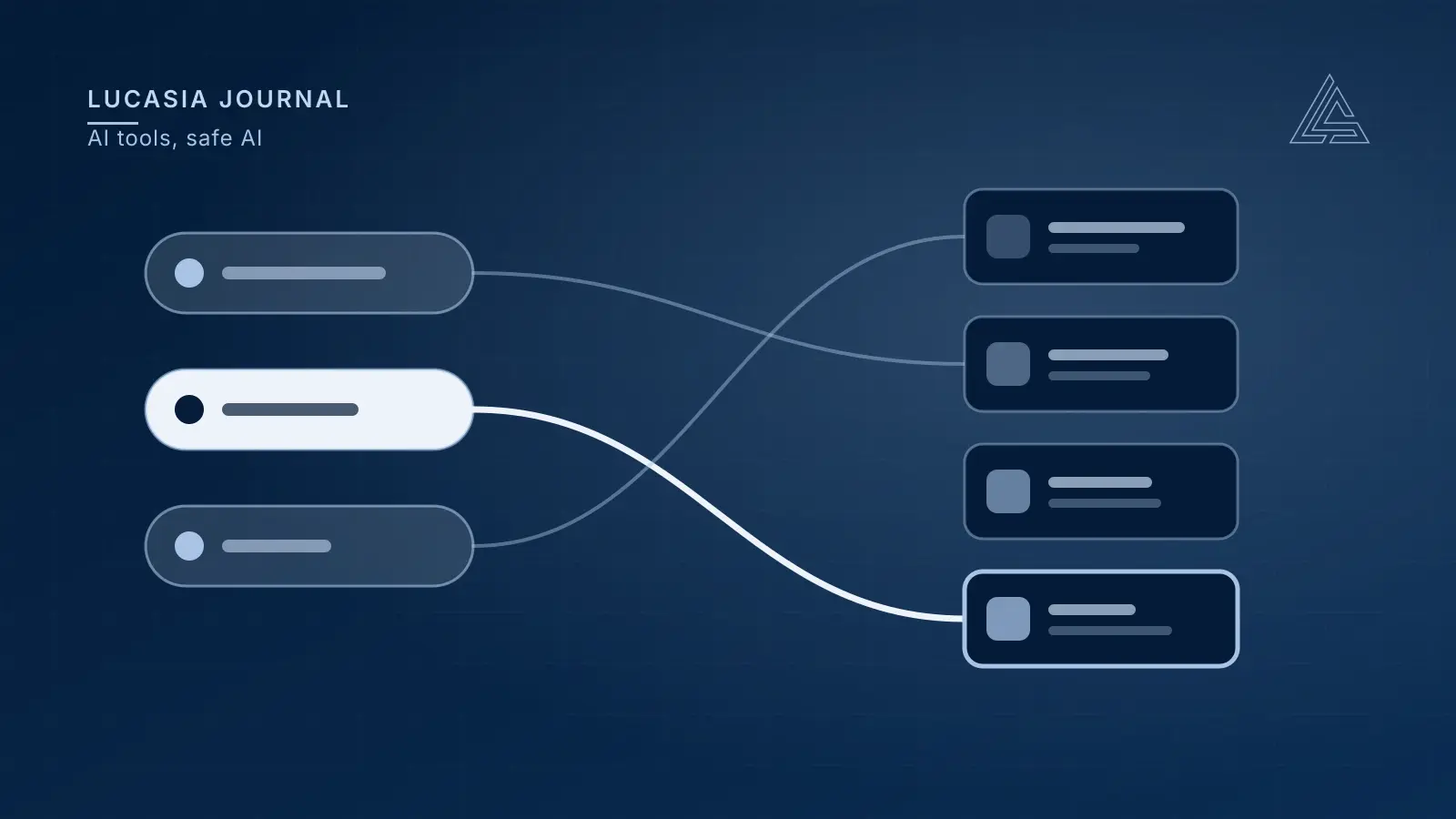
Here is how that plays out on real work. The router below picks a job and sends it to the tool I would use.
- Sort the inbox
- Reply to an unhappy client
- Chase an overdue invoice
- Write up meeting notes
- Fast, lighter modelQuick and cheap for volume
- Stronger model and a personTone and judgement, then approval
- Plain automationA rule decides who and when
- Two specialists in a rowSpeech to text, then a summary
- Sorting the inbox. High volume, low stakes, needs speed. A fast, lighter model is ideal. It decides what is urgent and what can wait, and a person sees the result.
- Drafting a reply to an unhappy client. Lower volume, high stakes, needs tone and judgement. Use a stronger model, give it the history of the conversation, and always have a person read and approve the reply before it goes.
- Chasing an overdue invoice. Mostly rules. Plain automation finds the overdue invoices and schedules the reminders. A model can write a friendlier message, but the logic of who to chase and when should be a rule, not a guess.
- Reviewing a contract. Hard thinking, high stakes, long documents. A large reasoning model can highlight unusual clauses and summarise obligations. It is a very good first reader. It is not your solicitor.
- Meeting notes. A speech to text tool to capture what was said, then a lighter model to turn it into a summary and an action list. Two specialists in a row beat one general tool doing both.
- Writing and changing software. A coding agent for the heavy lifting, a stronger model for reviewing the design, and automated tests to catch what both of them miss. In our own engineering work we regularly use different models for writing, reviewing and checking, because each is better at a different part of the job.
- Anything with sensitive personal data. Choose the tool by where the data goes first and by capability second. Business accounts with clear data terms, a private model, or no AI at all are all valid answers.
Mixing tools is normal
Most real workflows use more than one tool. A good example is a new enquiry arriving by email: a fast model reads and sorts it, a rule creates the lead in your CRM, a stronger model drafts a thoughtful reply, and a person approves it. Each step uses the cheapest tool that does the job well.
This is how we built the Lucasia app. Different jobs inside it are handled in different ways, and anything that leaves the business waits for a person to say yes.
Avoid the two common traps
Trap one: the most powerful model for everything
It feels safe, but it is slow and expensive at scale, and for simple jobs it is no better than a lighter model. You would not hire a senior barrister to sort the post.
Trap two: the cheapest model for everything
It looks efficient until it gets the important things wrong. Saving pennies on a contract review is a false economy.
There is no best AI. There is only the right tool for the job in front of you.
Review your choices regularly
The tools improve quickly. A job that needed the most capable model last year may be handled perfectly well by a lighter one today, at a fraction of the cost. Put a reminder in the calendar every few months to look again at what you use for each job.
A simple rule to take away
Match the tool to the job: the hardness of the thinking, the cost of a mistake, how often it happens and how sensitive the data is. Use plain automation where rules will do, lighter models for volume, stronger models for judgement, and a person for anything that matters.
If you would like help working out which tools fit your business, tell us about the jobs that fill your week. We will tell you honestly which ones AI would help with, which tool we would use, and which ones are better left to a simple rule or a person.
Share this article